





Can the MagSafe magnet damage bank cards?
Put “magnet” and “bank card” in the same sentence and plenty of people get nervous. It’s an idea left over from a time that’s no longer with us.
In this guide, we explain why the fear is a fair question but an outdated worry, when you should still be a bit careful, and how to carry cards with your phone so they stay safe — not lost at the bottom of your pocket.
Will MagSafe wipe a bank card?
No, it won’t wipe it. The chip and contactless payment (NFC) on modern cards don’t react to magnets at all. MagSafe’s ring magnet is designed to work with wallets and cards. The only small risk is with old magnetic stripes — and even that’s rare.
Why the fear stuck around
The worry comes from something real — it’s just outdated. Back in the day, card data was read from the magnetic stripe, the black strip on the back of the card. A strong magnet could scramble the stripe, making the card unusable.
Today, magnetic stripes are hardly used. You pay with the chip and contactless payment, and that data lives in the chip and NFC antenna — places a magnetic field doesn’t affect. A magnet won’t wipe a chip or contactless payment any more than a fridge magnet wipes a USB drive.
When you should still be careful
| ✓ Magnets won’t hurt them | ⚠ Keep an eye on these |
|---|---|
| Bank cards with chips | Hotel key cards — the magnetic stripe is the most easily disrupted |
| Contactless payment cards (NFC) | Old magnetic-stripe-only cards |
| Bus and travel cards (RFID) | Don’t squeeze the card between your phone and charger while charging |
| ID cards and access passes with a chip |
In practice: keep your hotel key card away from any magnet, whether it’s MagSafe or your bag’s magnetic clasp. Your bank card won’t bat an eye.
How to carry your cards right — KARB MagSafe card wallet
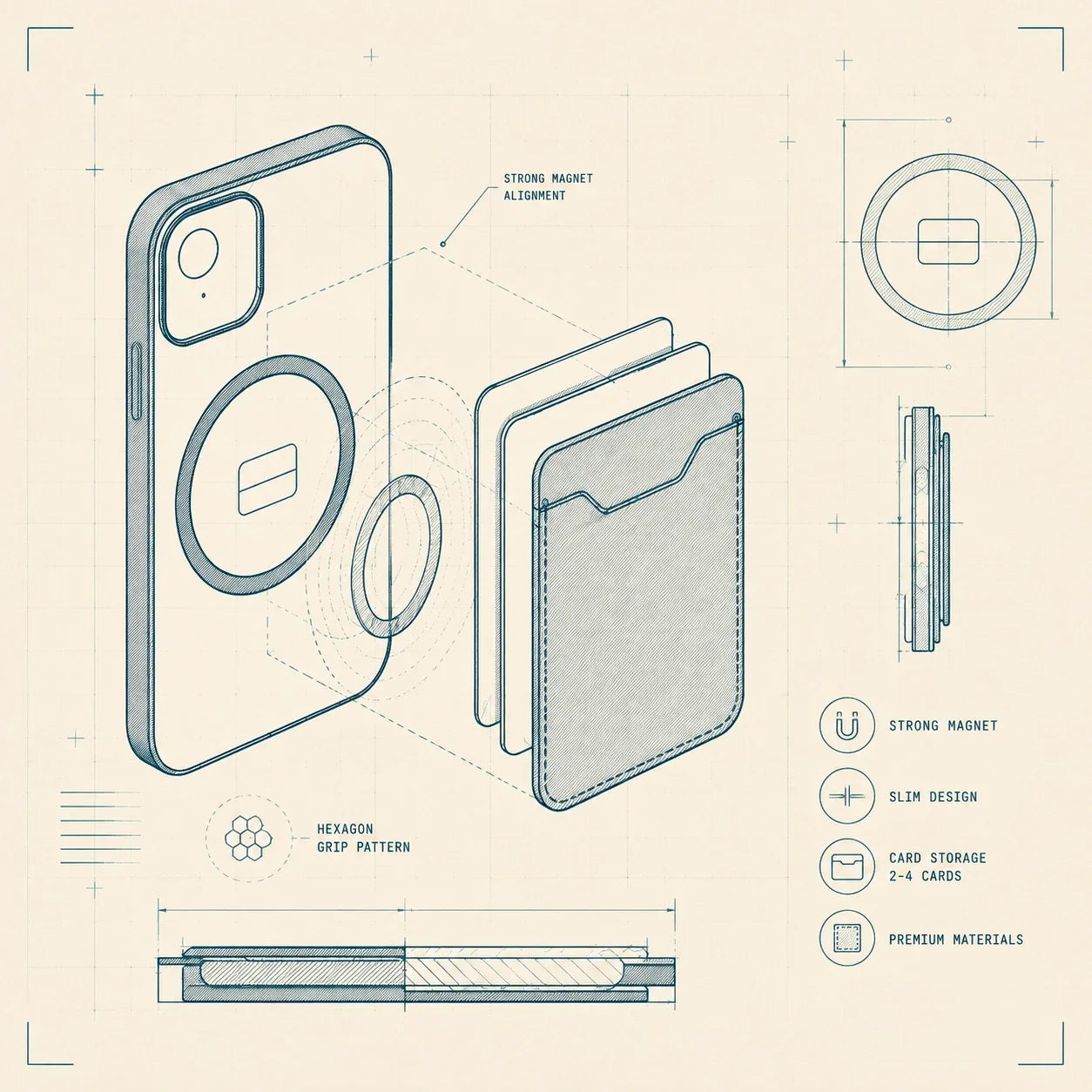
When the magnet isn’t a threat but a tool, it’s worth putting it to work. KARB is a MagSafe card wallet that snaps straight onto the MagSafe ring on the back of your phone and carries your cards right where your phone is. There’s room for up to four cards — bank card, travel card, ID, and that one loyalty card that always disappears.
KARB’s surface has a carbon-fiber-look finish made from bamboo fiber, and you can personalize it with your own logo or image. On the product page, the phone model, material, and personalization update in the preview in real time — so you see the final look before you order. Read more in KARB’s carbon-fiber-look article and compare options in the MOHK wallet guide.
MagSafe add-ons worth knowing
The MagSafe ring isn’t just for charging. The same magnet keeps a whole family of add-ons in place:
You can also get a MagSafe phone case for the newest models: iPhone 18 Pro, iPhone 18 Pro Max, iPhone 18 Ultra, and the Galaxy S26 and S26 Ultra models — with Lastu phone cases, MagSafe works on Samsung too.
If MagSafe is new to you, start with the basics: what is MagSafe and how it differs from a regular phone case. On Android? Read whether you need a MagSafe phone case. Please note that MagSafe can be selected on the product page; it’s not included by default.
Frequently asked questions
Will MagSafe demagnetize or damage a bank card?
No. The data on chip and contactless cards doesn’t react to magnets. MagSafe’s ring magnet is designed to work with cards and wallets.
Can MagSafe wipe contactless payment or an RFID chip?
No. NFC and RFID chips work with radio waves, not magnetism. A magnet won’t erase the data on the chip.
What about hotel key cards?
Hotel key cards often use a magnetic stripe, which can get scrambled near any magnet. Keep it separate from MagSafe and other magnets.
How many cards fit in the KARB wallet?
KARB fits up to four cards and attaches directly to your phone’s MagSafe ring.

Carry your cards where your phone goes
KARB snaps onto the MagSafe ring and carries up to four cards. Personalize it with your own logo or image — you’ll see a preview before ordering.
Your product is made to order in 2–10 days and delivered with your chosen shipping method in 2–5 business days. Free shipping available — you’ll see delivery times at checkout.
Samsung Galaxy S26, S26 Plus, S26 Ultra, A37 and A57 — the best cases from Lastu
Screen protector or tempered glass—and do you need one in addition to a phone case?